The Sway setup I work in every day
 Nevil Krishna K7 min read
I write code on a laptop running Sway, a tiling Wayland compositor that is configured with one text file and has no settings app. Everything it does is in swaydots: the Sway config, the status bar, the terminal, the notification daemon, the app launcher and a handful of shell scripts. This post is about the parts of that repo that took more than a copied snippet to get right, which is mostly power, idle and the things a desktop environment does for you without asking.
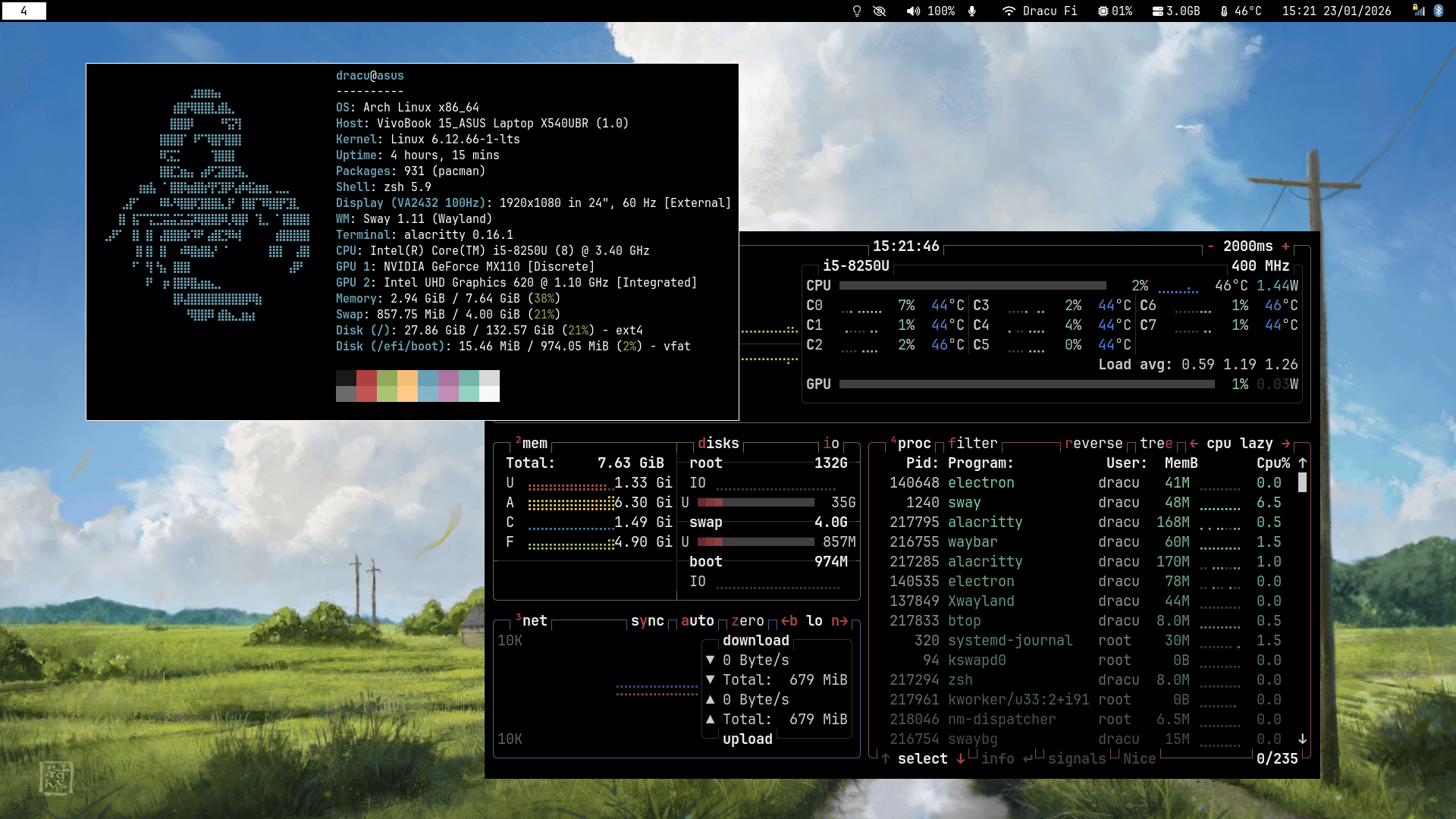
One repo, one branch per laptop
The repo mirrors my home directory, so stow . from inside it links .config/sway, .config/waybar and the rest into place, and editing a file in ~/.config is editing the repo. A change shows up in git status the moment I make it, which also means a change can sit there uncommitted. Two did, while I was writing this.
Each laptop gets its own branch: main, dell and hp. They share almost everything, but a monitor layout, a GPU and a battery are per machine, and a branch is a cleaner way to hold that than a config full of if statements about hostnames. The Dell I work on runs Fedora 43. The README and setup.sh still target Arch, which is where the repo started; the config itself barely cares. The one Fedora-specific line is the path to the polkit agent.
Power without a power manager
A desktop environment ships one power daemon and you never think about it. Without one, you pick, and the obvious pick, TLP, is the one I took out. TLP and auto-cpufreq both set the CPU governor, and running both means whichever wrote last wins. The repo now uses three tools that each own one thing:
- auto-cpufreq sets the governor and turbo, and also sets the battery charge thresholds.
- thermald handles thermal limits.
powertop --auto-tuneturns on runtime power management for USB, SATA and audio, from a oneshot systemd unit, because the setting does not survive a reboot on its own.
TLP is masked rather than just left uninstalled, so a package that pulls it in later cannot start it behind my back:
sudo systemctl mask tlp.service
The battery charges to 80 percent and starts charging again at 50. A lithium cell that sits at 100 percent on a desk all day wears out faster than one that sits in the middle. auto-cpufreq's own default is 75 to 80, which means the charger switches on every time the battery drops five percent, so the setup script moves the start to 50:
sudo sed -i 's/^start_threshold = 75/start_threshold = 50/g' /etc/auto-cpufreq.conf
Two keys go with it. Super+Shift+P cycles auto-cpufreq between performance, powersave and automatic, for a build that should go fast or a train ride that should last. That needs root, so a sudoers drop-in allows exactly those three commands without a password and nothing else. Super+Shift+B shows a notification with the battery's real state:
B=/sys/class/power_supply/BAT0
full=$(cat "$B/charge_full")
design=$(cat "$B/charge_full_design")
health=$(( 100 * full / design ))
The kernel reports charge in microamp hours, so the script multiplies by the cell's minimum design voltage to show watt hours too, along with the cycle count, the thresholds, the temperature and the date the battery was made. Those are the numbers you want when deciding whether a battery is worn or just old, and no status bar has room for them.
Idle that knows whether it is plugged in
swayidle runs commands after a period of no input. The catch is that the right timeouts depend on the charger: on a desk, a screen that goes dark after two minutes is annoying, and on battery, a laptop that stays awake for thirty is a drained battery in a bag. swayidle takes its timeouts once, at start.
So swayidle-watch.sh starts it with one set of timeouts or the other, and restarts it when the power source changes:
if ac_online; then
    # AC: 10 min screen off, 30 min suspend
    swayidle -w timeout 600 'swaymsg "output * dpms off"' ...
else
    # Battery: 2 min screen off, 3 min suspend
    swayidle -w timeout 120 'swaymsg "output * dpms off"' ...
fi
ac_online walks /sys/class/power_supply/, looking for a supply whose type is Mains and which reports itself online, rather than hard-coding AC or ADP1, because the name changes from one laptop to the next. Both modes lock the screen with swaylock before the machine sleeps. Closing the lid hibernates, and opening it turns the built-in screen back on, through Sway's bindswitch, which still fires while the screen is locked.
The small things a desktop environment does for you
Most of the rest of the config is replacing things that come for free in GNOME:
- Clipboard history. Two
wl-paste --watch cliphist storeprocesses save every copied text and image. Super+Shift+V lists the history in wofi, with a "clear" entry at the top. - Screen recording. Super+Shift+R starts
wf-recorder, recording system audio from the default output's monitor, and the same key stops it. With one screen it records the whole thing. With an external monitor attached it asks for a region first withslurp, since there is more than one screen to choose from. - Volume that follows the headphones. The volume keys go through
wpctlon@DEFAULT_AUDIO_SINK@rather than a named device, so they work the same on the speakers, the 3.5 mm jack, a USB DAC or Bluetooth, and a notification shows the new level. - A power menu. Super+X opens waylogout over a greyed, vignetted copy of the screen, with power off, reboot and log out.
One fix in the terminal config is worth knowing about. Alacritty can send an escape sequence for Shift+Enter and Ctrl+Enter, so a terminal app can tell them apart from a plain Enter. The config is TOML, and TOML does not allow a raw escape byte in a string, so the sequence has to be written as "\u001b[13;2u". An earlier version had the raw byte pasted into the file, which is not valid TOML and is invisible in most editors.
The other laptop's GPU
The hp branch has a problem the Dell does not: an NVIDIA GPU next to the Intel one, with the HDMI port wired to the NVIDIA side. An external monitor needs the NVIDIA card, and a day on battery needs it off.
The branch's answer is a systemd unit that removes the NVIDIA card from the PCI bus early in boot, before Sway can open it, and a small dgpu command: dgpu on and dgpu off flip that unit and reboot, and dgpu status shows the current and next-boot state. Off is the default. With the card off, the laptop idles at 6 to 7 W on battery.
One kernel option was undoing it. With nvidia_drm fbdev=1 set, the driver left a framebuffer on the card that kept it awake, which added about 7 W. The branch's notes say to drop that option and keep modeset=1 and dynamic power management, and they say it in bold, because it is the step that is easiest to miss.
What I would do differently
I would make the installer match the machine. setup.sh is written for pacman and yay, and the laptop it lives on runs Fedora, so the script that nevil.dev/sway.sh serves is the one part of the repo I do not use myself. Until today, it also still installed TLP, five months after the repo had dropped it.
Two keybindings still use /home/dracu/... instead of ~, which works for exactly one user name. And swayidle-watch.sh checks the charger every five seconds in a loop. A udev rule on the power supply would react the moment the cable moves and cost nothing in between.
The part I would keep is the branches. Three machines with different screens, batteries and GPUs share one history, and a fix made on one is a cherry-pick away from the others.
- Linux
- Sway
- Wayland
- Fedora
- Shell
Building something like this?
Tell me what you are building. You get a fixed scope and a fixed figure back, from the person who writes the code.
5.013 reviews onGoogle