TMPlayer 1.26.0: streaming a film bigger than the free space
 Nevil Krishna K12 min read
The last TMPlayer post ended with "I would ship fewer releases". TMPlayer 1.26.0 came out on 14 October, five days after 1.25.0, and it is one release instead of five. It is also the biggest one yet: 199 commits, 288 new strings in each of 21 languages, and about 340 new tests.
This post goes through what is in it. Most of the space goes to the parts with a mechanism worth explaining: streaming a film larger than the free space, the rows on the Android TV home screen, and a Mac build made without a Mac. The smaller features get a paragraph each.
Everything here is from TMPlayer, which is GPL-3.0. It plays the videos already in your own Telegram chats and hosts or finds no media of its own, so it is for videos you own or have the right to watch (lawful use).
A film bigger than the free space
TMPlayer was built for a TV stick with a gigabyte of RAM and under 5 GB of usable storage. Streaming a video from Telegram means TDLib downloads it to disk while the player reads it, so a 6 GB film on a stick with 3 GB free could not play at all. Low storage mode fixes that by keeping only a window of the film on disk.
The constraint that shaped it is that TDLib can only delete a whole file. There is no call to drop the first hour and keep the rest. What it does have is a bounded download: downloadFile takes an offset and a limit, fetches only that range, and leaves the rest of the file as a sparse hole that takes no disk space. On the desktop TDLib, a 549 MB file restarted at 509 MB took 40 MB on disk.
So the mode asks for 200 MB at a time instead of the rest of the file. When reading comes within 4 MB of the end of that range, it rolls: it deletes the whole file, then asks again from 2 MB behind the playhead. To the player, a roll looks like a seek it made to itself. On a nearly full disk the window shrinks to whatever fits after 400 MB of headroom, down to a floor of 32 MB.
The planning is one pure function in the shared core, so the phone, TV and desktop players all use it:
fun plan(ranges: List<Range>, offset: Long, size: Long, window: Long, roll: Boolean = false): Request {
    val end = if (size > 0) minOf(size, offset + window) else offset + window
    val limit = (end - offset).coerceAtLeast(1)
    val wanted = Range(offset, end)
    val kept = merge(ranges + wanted)
    val budget = window + SLACK_BYTES
    // A roll always starts afresh: keeping the window it moves on from is what it is there to stop.
    if (roll) return Request(limit, deleteFirst = true, ranges = listOf(wanted))
    if (bytes(kept) <= budget) return Request(limit, deleteFirst = false, ranges = kept)
The first version passed every unit test and then misbehaved on the TV emulator in three ways.
- A limit of 0 means "no limit" to TDLib. Near the end of a file the computed limit could reach 0, and TDLib took that as permission to carry on from the start until it had the whole film. After a seek into the last third of a 369 MB film, it had filled 332 MB. That is what the
coerceAtLeast(1)above is for. - A seek inside the window deleted the bytes it was about to read. MKV and MP4 files keep their index near the end, so the player reads the far end and then jumps back. If that jump went over budget, the plan deleted the file and refetched what was already there. A request from inside what is on disk now grows that stretch instead.
- The mode was switched off too early. It was revoked when the screen closed, before the player's last reads had finished, and a late read could then ask TDLib for the rest of the film with no limit. It is now revoked only after
player.release().
The free space check measures the window instead of the file. When a video does not fit and the mode is off, TMPlayer asks "Not enough room for this video. Switch to Low storage mode and stream it?" rather than refusing. A video being downloaded to keep is never put through the window, and the check runs before every request, so a film you start downloading halfway through is never deleted again.
On the emulator, a 2.7 GB film on 1.1 GB free held 200 MB, rolled on time and played through. A test harness against a real TDLib read 150 MB through a 40 MB window, peaked at 32 MB on disk, and matched the SHA-256 of a plain read, including a seek back.
Save mobile data
Before this release, streaming asked TDLib for the whole rest of the file. On Wi-Fi that is what you want. On mobile data, a film you stopped after 20 minutes could have cost most of its size.
Save mobile data uses the same range tracking with nothing deleted. On a metered connection, a request reaches 100 MB past the read position and is extended once reading comes within 16 MB of its end. The connection is checked at every request, so walking out of Wi-Fi bounds the next read and walking back in unbounds it.
fun extendDue(
    position: Long,
    ranges: List<LowStorageWindow.Range>,
    size: Long,
    metered: Boolean,
    lastBounded: Boolean,
): Boolean {
    if (!metered) return lastBounded
    if (!lastBounded) return true
    val here = LowStorageWindow.merge(ranges).firstOrNull { position >= it.start && position < it.end }
        ?: return false
    if (size > 0 && here.end >= size) return false
    return position >= here.end - EXTEND_MARGIN_BYTES
}
Android reports a network as metered when it lacks NET_CAPABILITY_NOT_METERED. When the capabilities are unknown, TMPlayer treats the network as unmetered on purpose: a wrong guess that lets a video play is better than a wrong guess that stops it. The setting is on phones only. A TV has no metered state, and when both modes are on, Low storage mode's window wins.
Posters on a new Home
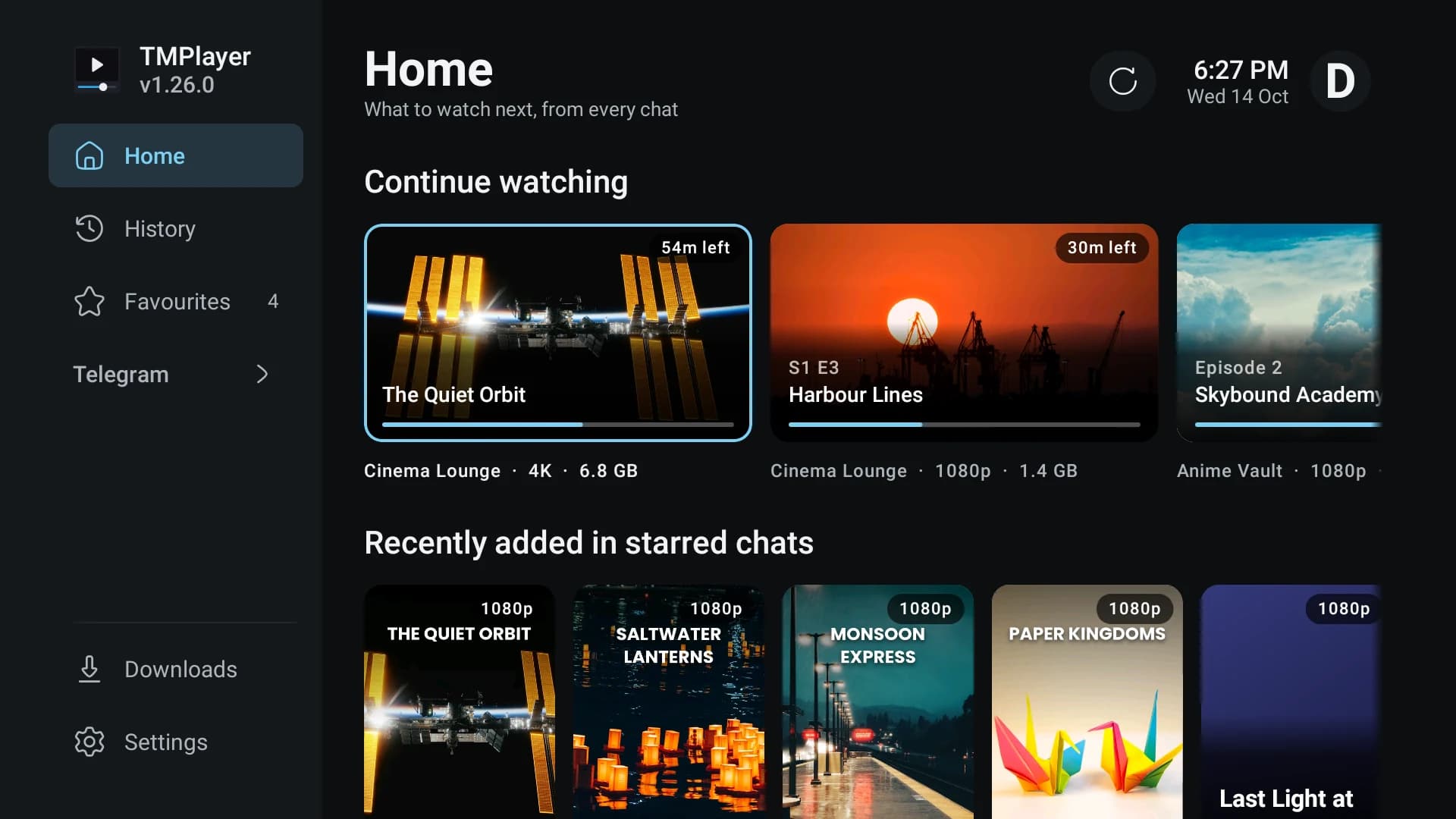
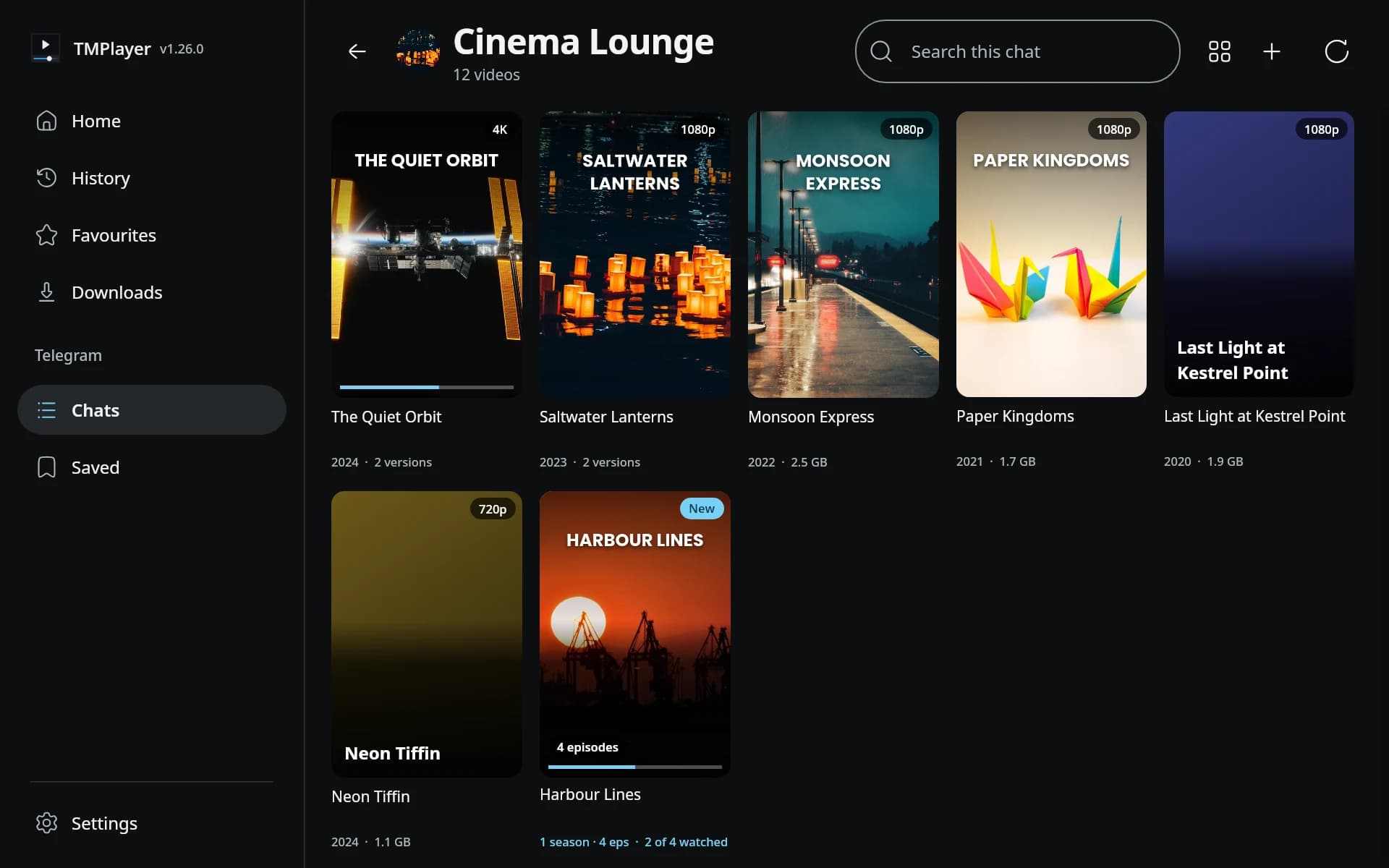
Home now opens on what you were watching, with the time left on each card, then the newest videos from starred chats. Films and shows get posters, an overview and a year from TMDB, TVmaze or AniList, and a show has its own page with seasons and progress.
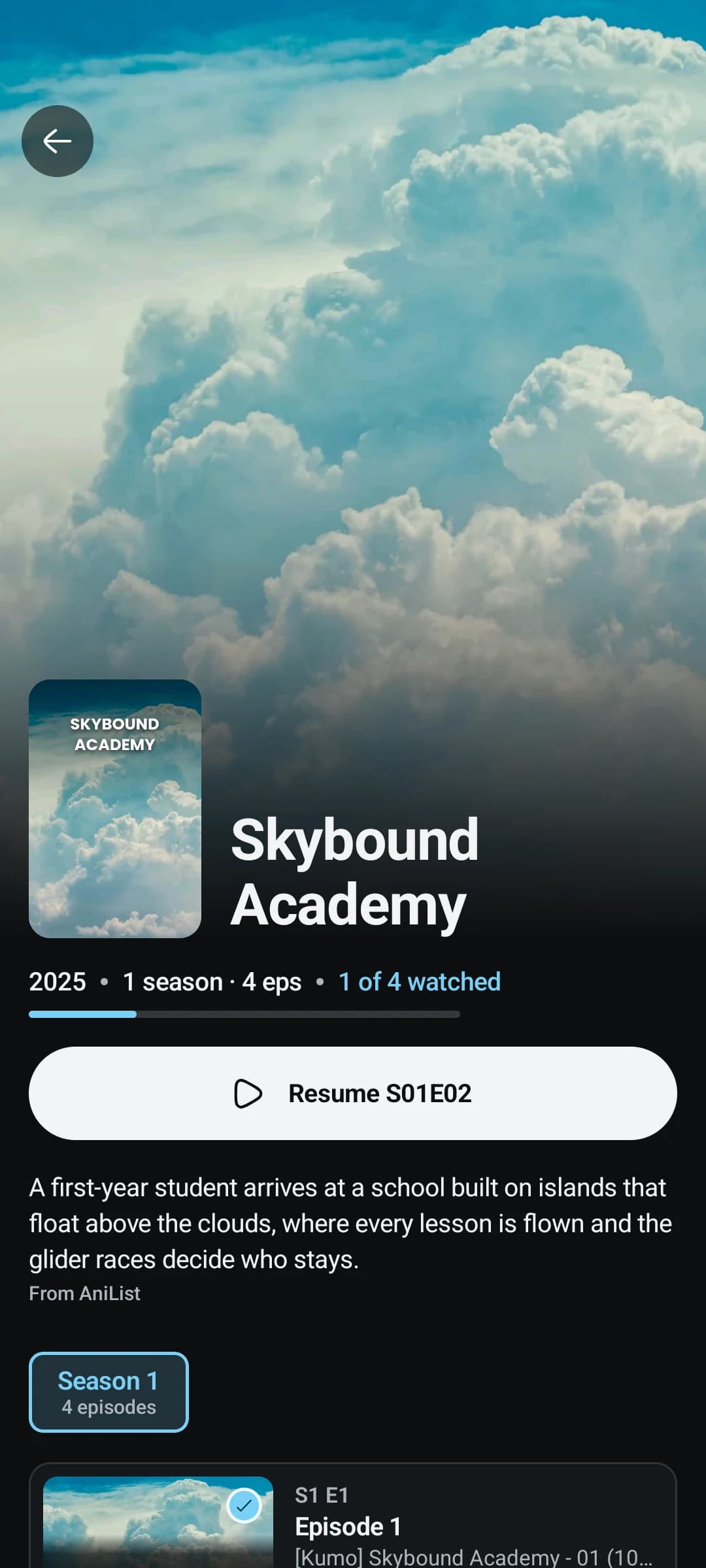
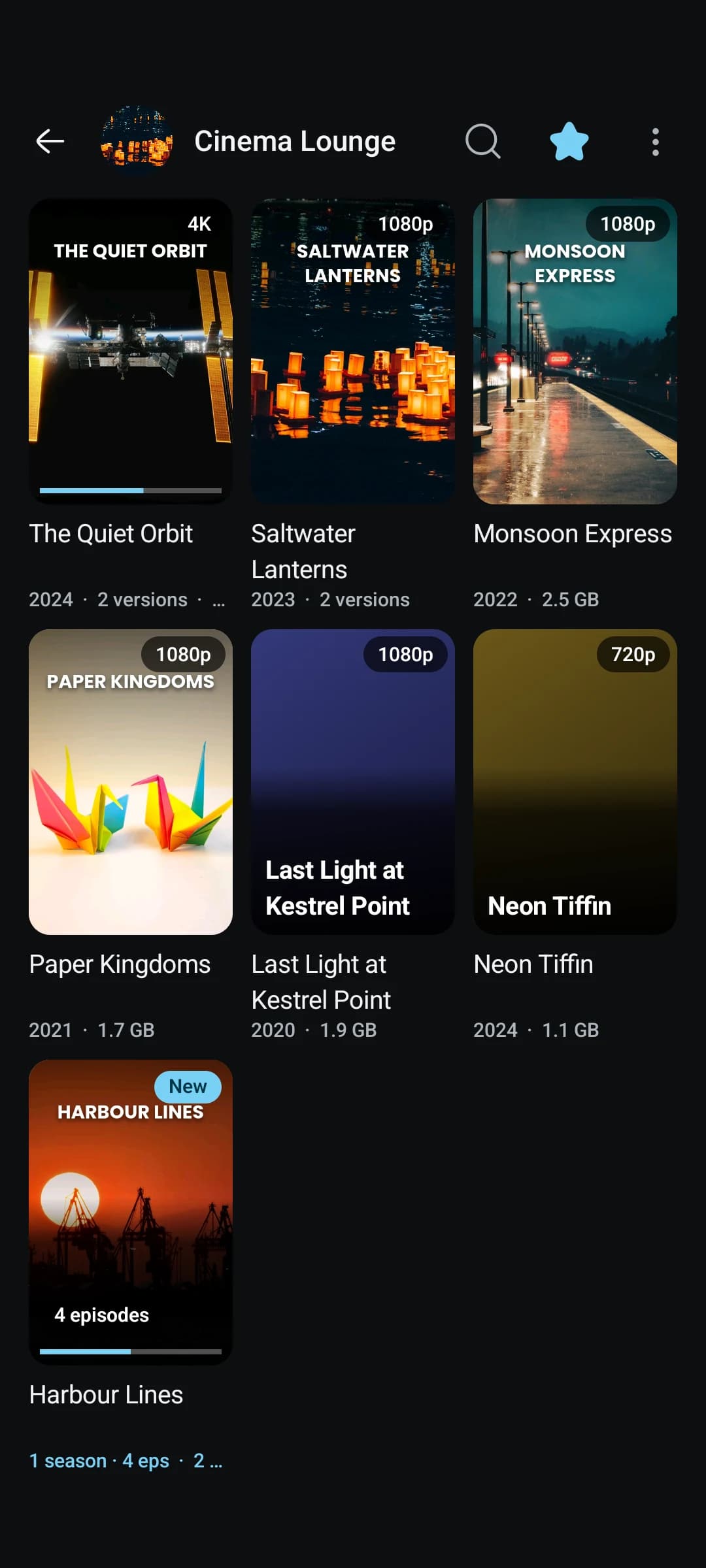
Choosing the poster turned out to be the fiddly part. In Arabic, searches for some well known foreign titles found nothing, because TMDB answers an Arabic search with the untranslated original title, and the tile fell back to the video's Telegram thumbnail, which is often not a poster at all. A search with no result in the interface language is now asked again in English, and the match is then fetched in the interface language with its images in one call. The poster comes from that list in a fixed order: the interface language, then English or no language at all, then the title's original language. Anything not shaped like a poster is dropped first, which keeps out banners and logos:
return posters
    .filter { it.path.startsWith("/") && it.aspect in POSTER_ASPECT && it.width >= POSTER_MIN_WIDTH }
    .mapNotNull { p -> tier(p)?.let { it to p } }
Episode rows show the episode's real name, with "S1 E3" above it. Providers often fill a missing name with a placeholder, so a name is rejected when it is only the episode number with one word around it, in any language: "Episode 5", "Folge 5" and "第 5 集" are all thrown out, and "Pilot" is kept.
Rows on the Android TV home screen
On Android TV, TMPlayer now puts a row on the launcher itself, built from Home's "Recently added" row. Two more, Watch later and New episodes, can be added from the launcher's channel list.
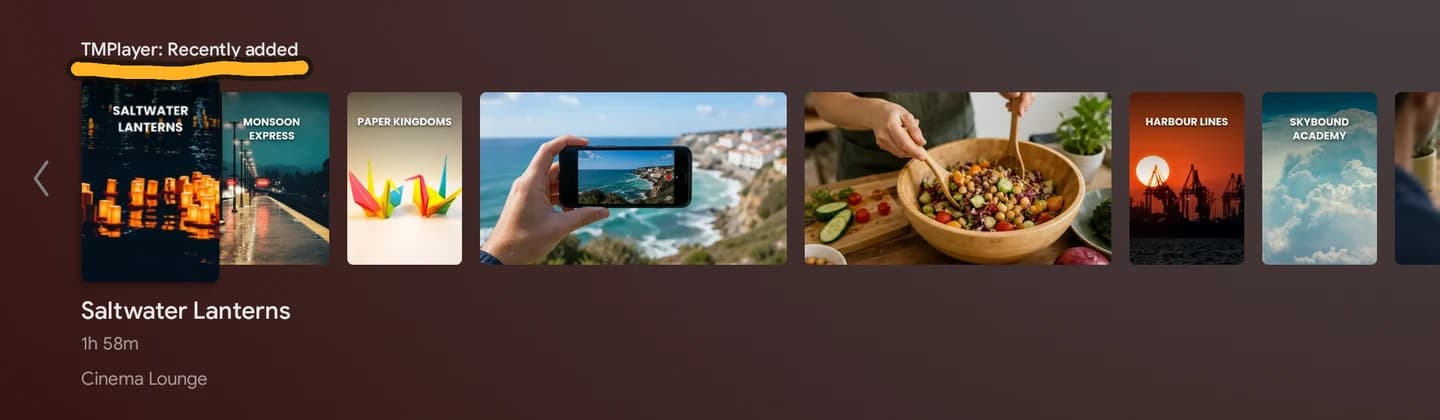
The rows are preview channels written through the platform TvContract provider. Android lets an app's first channel onto the home screen without asking, and that is the only one TMPlayer requests:
// The default channel goes on the home screen without asking: Android lets an app's first
// channel through. The others wait in the launcher's channel list for the viewer to add.
if (channel == Channel.Recent) {
    runCatching { TvContract.requestChannelBrowsable(context, id) }.onFailure { Log.w(TAG, "channel not made browsable", it) }
}
That rule caused the one bug worth telling. Turning the row off in Settings used to delete the channel, and turning it back on created a new one. A channel created after a delete is no longer the app's first, so Android left it in the launcher's settings instead of on the home screen. On a Mi TV stick, switching the row off and on once lost it for good. Turning it off, or signing out, now empties the channel instead. The launcher hides an empty channel, and it keeps the place the user gave it.
Two smaller things came from the same work. Cards are compared by a fingerprint before writing, because every write is a round trip to the provider and wakes the launcher to redraw. And a show opened from a home screen card did not get focus on Play, because the launcher was still on top when the page came up. The page now waits until its window has focus, then retries every frame for up to three seconds until Play is focused or you press a key.
There is no background job keeping the rows fresh. They update while the app runs, because a scheduled job would have to start TDLib on a stick with a gigabyte of memory.
A setup that asks about the device
A new sign in now goes through a short setup: which Telegram folders to show, whether to look up posters, Low storage mode, a Performance step, and on a phone, mobile data. Each question has two answers with a picture of each, and the recommended one is first. After that comes a quick tour of six or seven screenshots with numbered marks. Installs that were already signed in skip the setup and are offered the tour once.
The setup looks at the device before it recommends anything:
fun assess(probe: DeviceProbe): DeviceFit {
    val memoryLine = if (probe.tv) TV_MEMORY_BYTES else PHONE_MEMORY_BYTES
    val memory = probe.lowRamDevice ||
        (probe.totalMemoryBytes != null && probe.totalMemoryBytes in 1 until memoryLine) ||
        (probe.sdk != null && probe.sdk < MIN_COMFORTABLE_SDK) ||
        probe.only32Bit
    val storage = probe.freeStorageBytes != null && probe.freeStorageBytes in 0 until STORAGE_BYTES
    return DeviceFit(shortOfMemory = memory, shortOfStorage = storage)
}
The lines are 2 GB of memory on a phone, 1.5 GB on a TV, Android 8 or newer, and 3 GB free, which is about three films. A device short of storage is pointed at Low storage mode. A device short of memory is offered Lighter pictures (images decoded smaller, a smaller picture cache) and Reduce motion. The same advice shows up later if the player drops 30 or more frames, or Android says memory is running low.
In the player
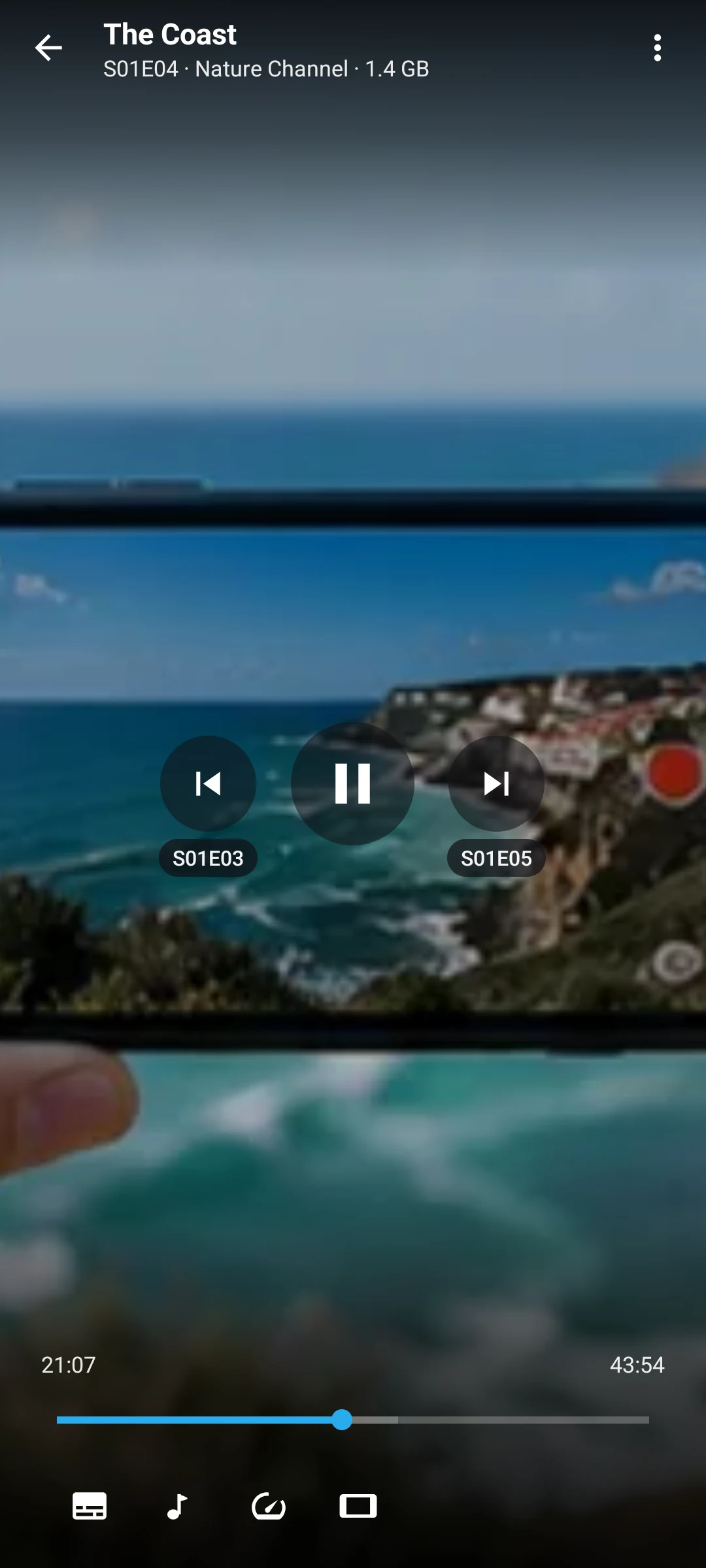
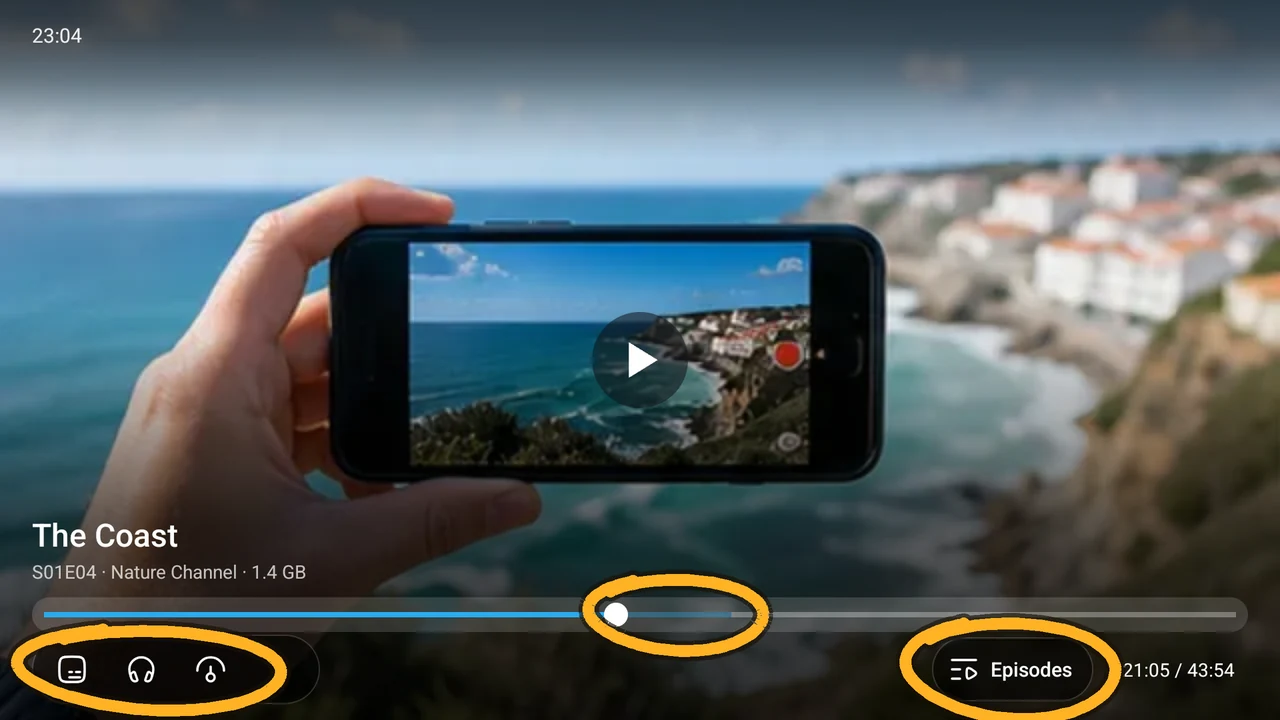
- Skip intro, recap and credits. The times come from TheIntroDB, IntroDB and AniSkip, looked up by the IDs the poster search already found. The last second of each segment is left out, so a skip never lands back inside it, and credits that run to the end bring up the next episode card.
- Speed per series. A speed is remembered for the series, the course or the chat, and choosing 1x forgets it.
- Preferred audio and subtitle language, through Media3's track selection on Android and mpv's language options on the desktop.
- Watch later, bookmarks with a note, and A-B repeat. A-B treats a jump of more than two seconds past B as a seek of your own rather than a loop.
- Season downloads. Download a season, or only the unwatched episodes, and it picks the same copy as the one you were watching. Someone watching the 350 MB copies gets 350 MB copies, not the 1.8 GB ones.
- Skip silence, on Android only. In mpv, the filter that drops silent audio does not drop the matching video, so sound and picture drift apart.
Locks, backups and crash reports
An app PIN can guard Settings or the whole app, and a kids lock limits it to chosen chats. The PIN is stored as a salted PBKDF2 hash. After three wrong tries the wait starts at 30 seconds and doubles up to 15 minutes, timed on a clock that moving the date forward does not change.
Settings, favourites, watch history, bookmarks and the rest can be backed up to one JSON file and merged back in. The Telegram session, keys and paths never go in it. Neither do the locks: a PIN's hash has no place in a file that gets mailed around, and restoring a backup must never be a way round a lock someone set on this device.
Crash reports were all or nothing before. Now, with reports turned off, a crash is written to the device, and the next start asks whether to send it, once or always. A crash saved by an older version is thrown away, because its line numbers point at code the device no longer runs. Release builds also upload their R8 mapping to Sentry, so a report's stack trace reads as source.
The desktop, and a Mac without a Mac
On Windows, the window is now undecorated and TMPlayer draws its own minimise, maximise and close buttons in each page header. On a tiling Linux desktop such as Sway, i3, Hyprland or niri, it draws only close and a fullscreen toggle, because a tiling manager has no minimise. GNOME, KDE and macOS keep the system title bar.
1.26.0 also has a macOS preview for Apple Silicon. I do not own a Mac, so it is built and tested on GitHub's macOS 26 runners. The job runs the desktop tests, builds the app, signs it ad hoc, runs the app's own self-test, packs the DMG, then mounts the DMG read-only and runs the self-test again from inside it.
Ad hoc signing does not avoid the Gatekeeper prompt, and a notarised build would mean a $99 a year developer account. It is still required, because Apple Silicon refuses to run native code that has no signature. macOS 26 is the floor because the TDLib build TMPlayer uses targets it, and the app says so on an older Mac instead of failing at sign in. The release also carries a source archive for the macOS mpv runtime, with every bundled library matched to the exact build it came from, because GPL code shipped in a binary owes its source.
Smaller changes cover the rest: every icon is now from one set, an Arabic title no longer loses its last letter to a second line, and arrows and chevrons point the right way in right-to-left languages.
What I would do differently
Most of 1.26.0 was checked on emulators and in test harnesses, not on the hardware it is for. Low storage mode ran on a TV emulator and against a real TDLib, and Save mobile data has not been tested on a real mobile network. The Mac build has passed its self-test on a CI runner and has not been opened on a real Mac by anyone yet. Those are the parts with the most ways to fail on a real device, and I would rather have tried them on a stick and a phone before the release, even if it meant shipping a few days later.
The part I would keep is putting each mechanism in one pure function in the shared core. The window planning, the poster order and the device check are all plain Kotlin with no Android in them, which is why one test suite covers the TV, the phone, Windows, Linux and now macOS.
- Kotlin
- Android TV
- TDLib
- Compose Desktop
- macOS
Building something like this?
Tell me what you are building. You get a fixed scope and a fixed figure back, from the person who writes the code.
5.013 reviews onGoogle