Taking a Telegram video player from Android TV to Windows and Linux
 Nevil Krishna K7 min read
When I wrote the first post about TMPlayer, it was an Android TV app. Three weeks later it also runs on Windows and Linux, it is in 21 languages, and it has shipped eleven releases, from 1.17.0 to 1.25.0. That is a little over 300 commits, and most of them are small. This post is about the four that taught me something: sharing the streaming code between two players, a Windows file lock, a crash that only happened on televisions, and a download that was twice the size it needed to be.
Everything here is from TMPlayer, which is GPL-3.0. It plays the videos already in your own Telegram chats and hosts or finds no media of its own (lawful use).
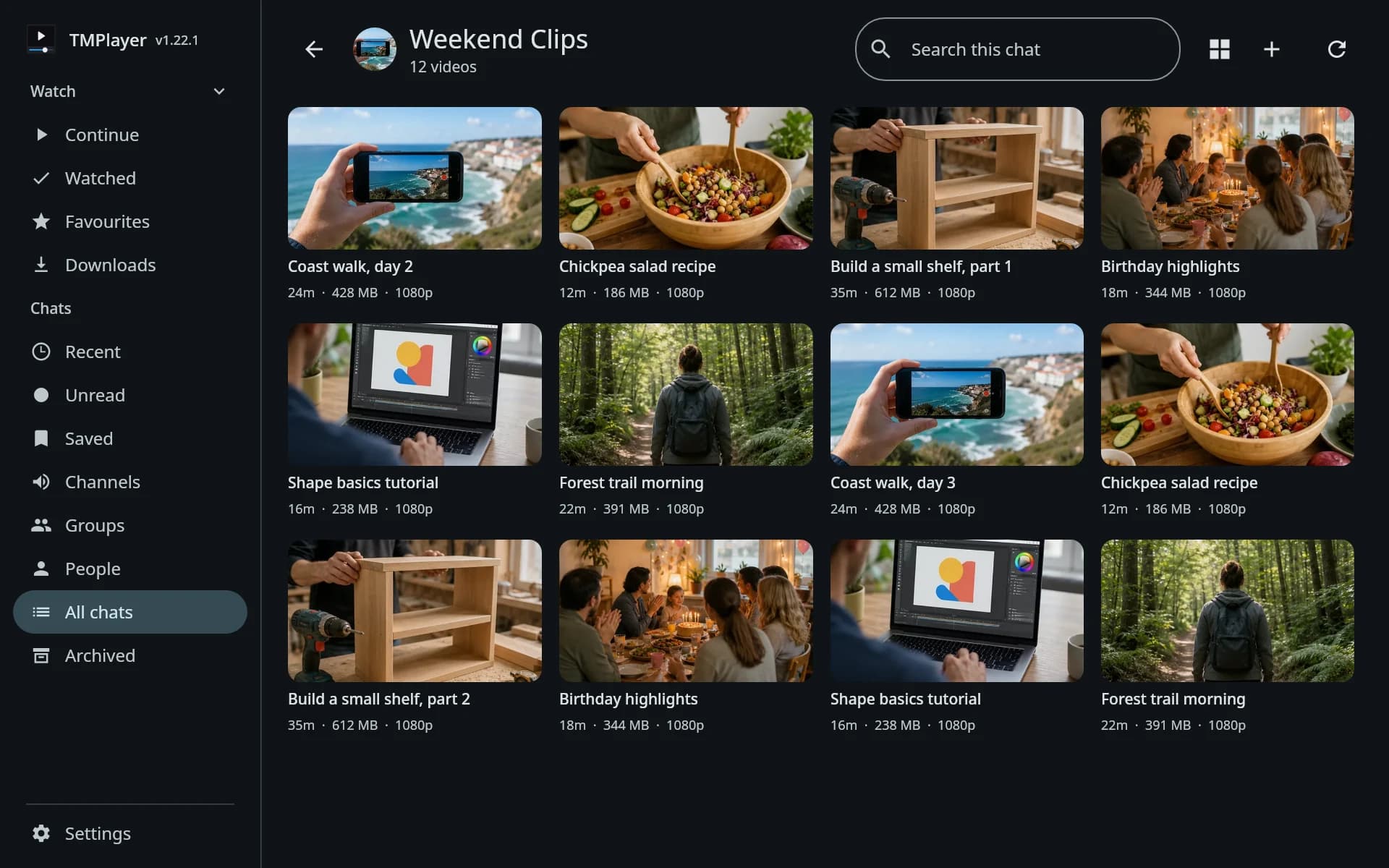
One window of bytes, two players
On Android, playback is Media3 and the bytes come from a custom DataSource over TDLib. The desktop app is Compose for Desktop, and its player is libmpv through mediamp. Two players with nothing in common, both asking the same question: are the bytes at this position on disk yet, and if not, how do I get TDLib to fetch them.
The answer to that question used to live inside the Android DataSource, which was 394 lines. It now lives in TdByteWindow, a 390-line class in the shared core module, and the Android DataSource is a 125-line wrapper around it. The class comment says what stays on each side:
/**
 * The player on each platform wraps one of these: Media3's `TdDataSource` on Android, and the
 * desktop's media source. They decide how to block and how to report the end of input; this keeps
 * the window of bytes TDLib has confirmed, the one subscription that keeps it current, and the
 * rules for when a stalled read asks TDLib again.
 */
class TdByteWindow(private val td: TdlClient) {
The desktop side is TdMediaData, which hands mediamp a SeekableInput. mpv's demuxer thread calls read, which blocks until TDLib has the bytes, and a seek only moves the read position, so the next read points TDLib at the new offset. That is the same trick the Android player relies on, and the seek bug from the first post did not have to be fixed a second time, because the code that had it is the code both players now share.
mpv does one thing Media3 did not make me think about. Matroska keeps its seek index (the Cues) near the end of the file, so the first seek in a long MKV needs a trip to the last few megabytes. TdMediaData fetches the last 3 MB early, aligned down to a 1 MB boundary because that is the size of the parts Telegram hands out, and skips it for files under 16 MB where it is not worth the request.
A file Windows would not let go of
TDLib downloads into a partial file and renames it into place when the download finishes. The player was reading that partial file through RandomAccessFile, and on Windows, java.io opens a file without delete sharing. A rename counts as a delete, so TDLib's rename failed with a sharing violation for as long as the player had the file open, and a video being watched could never finish downloading. On Android and Linux, nothing stops a rename of an open file, which is why the phone never showed it.
The fix is to read through NIO instead, because on Windows FileChannel.open passes FILE_SHARE_DELETE and RandomAccessFile does not:
private fun openHandle(): FileChannel = handle ?: run {
    val path = localPath ?: throw IOException("No local file for $fileId yet")
    FileChannel.open(Paths.get(path), StandardOpenOption.READ).also { handle = it }
}
The read becomes channel.read(ByteBuffer.wrap(buffer, offset, length), position), a positional read that does not move a shared file pointer. On Android and Linux the two classes behave the same, so the phone's behaviour did not change.
A crash only televisions had
1.22.0 went out on 4 October, and on Android TV every video closed itself about five seconds in. Phones were fine. Desktop was fine. 1.22.1 fixed it two days later.
The TV player has a More menu drawn with Compose inside a ComposeView, and its composable was called Content:
val view = ComposeView(activity).apply {
    setContent { TMPlayerTheme { Content() } }
}

@Composable
private fun Content() { ... }
Inside apply, the receiver is the ComposeView, and ComposeView has a member called Content too. Kotlin picks the nearest receiver, so Content() did not call my menu. It called ComposeView.Content, which composes whatever was passed to setContent, which was this same lambda. It drew itself until the stack ran out. The phone never builds this menu, so only the TV hit it.
The fix was a rename to MenuContent, with a comment above the call so nobody renames it back. The part that matters more is the test that came with it. PlayerTvMenuSmokeTest runs under Robolectric in television mode and composes the menu closed and open:
@RunWith(RobolectricTestRunner::class)
@Config(sdk = [35], qualifiers = "television")
class PlayerTvMenuSmokeTest {
With the old call it fails with the same StackOverflowError the TV stick logged. Composing a screen is the whole test: if it cannot compose, it throws out of the looper and the build fails. I had unit tests for the byte arithmetic and none for whether a screen could be drawn at all on the one form factor I do not use every day.
Half the download
In 1.21.0 the universal APK was 50 MB, the Windows MSI 149 MB and the Linux tarball 168 MB. In 1.22.0 they were 25 MB, 88 MB and 60 MB.
Almost none of that came from removing code:
- The APK stored its native libraries uncompressed. TDLib and FFmpeg were most of a 50 MB file. Storing natives uncompressed lets Android map them straight from the APK, but for an app installed from a GitHub release rather than a store, a download half the size is worth more. Compressed, the APK halved.
- The desktop jars were compressed twice. Every jar was deflated, then packed inside an MSI or a tarball that is compressed again, and the outer pass gained almost nothing from data that was already deflated. The jars are now stored, so the outer compression does the work once, and the tarball moved to
.tar.xz. - mediamp pulled in a 38 MB icon set nothing used, and its runtime dependency on Compose's UI test kit shipped JUnit and
kotlinx-coroutines-test. The test library's Main dispatcher is not something an app should carry, so those came out too. - ProGuard shrinks the desktop release, and the bundled Java runtime drops
java.sqlandjava.management, which nothing loads.
The other change was publishing fewer formats. A release now attaches four install files: the universal APK, the MSI, the AppImage and the tarball. The deb, the rpm, the Flatpak, the portable zip and the per-ABI APKs each had a few users and each one was a separate thing to build, test and explain. An install from one of the dropped formats is now told its format is gone and where to go instead.
What I would do differently
I would ship fewer releases. Seven of them, 1.18.0 to 1.22.0, went out on the same day, and every release is an update prompt on every installed copy. Nobody wants their TV to ask them to update five times before lunch. The fixes could have waited a day and gone out together.
I would also write the TV smoke test before the TV menu, not after it broke. The bug was a one-word name clash, and it reached users because nothing in CI ever drew the screen it lived on. A test that only composes a screen and asserts nothing else sounds too small to bother with. It is the one that would have caught this.
The part I would keep is the shared core. Moving TdByteWindow out of the Android DataSource meant the desktop player started from code that had already survived two hundred seeks on a real film instead of relearning the same lessons on a new platform.
- Kotlin
- Compose Desktop
- libmpv
- TDLib
- Android TV
Building something like this?
Tell me what you are building. You get a fixed scope and a fixed figure back, from the person who writes the code.
5.013 reviews onGoogle