TMPlayer 1.28: a new Home, editable history and test versions first
 Nevil Krishna K8 min read
TMPlayer 1.28.2 came out on 28 October, five days after 1.28.1. Between them, the 1.28 line rebuilt Home on every device, made watch history something you can edit, and changed how releases reach people: every version now goes out as a test version first. 1.28.2 alone is 170 commits since 1.28.1.
This post covers what changed for people using it, then three engineering problems behind those changes: keeping Home fast on an account with thousands of chats, a version number that leaves room for test builds, and Android updates that install without asking.
TMPlayer is a video player for the videos already in your own Telegram chats, on Android TV, phones, computers and now the browser. It is GPL-3.0, with the source on GitHub. It hosts and finds no media of its own, so it is for videos you own or have the right to watch (lawful use). The short lists of changes are in the 1.28.1 and 1.28.2 release notes.
What changed on screen
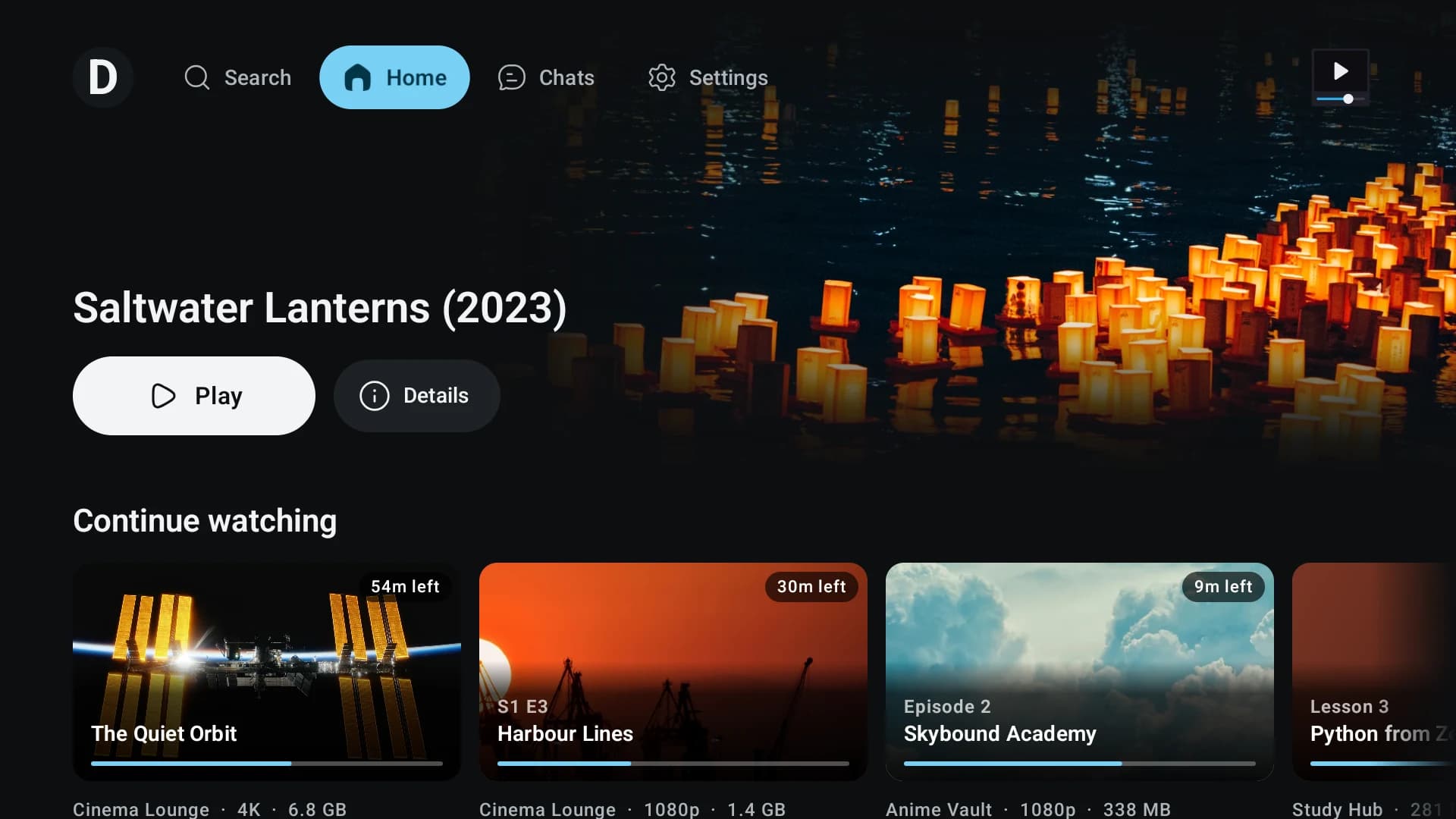
A new Home. 1.28.1 replaced the old Home with a carousel of title logos, scores from several rating sites and a short overview, then Continue watching, Recently added and a row for each chat you star. It opens straight away with what you saw last time, then refreshes. 1.28.2 lets you choose: turn rows on or off, pick the chats Recently added reads, and open a See all page for any row.
TV Home moves with the remote at once. Every row now fits whole under the top bar. Left and Right move across the tiles already on screen, Up and Down take one press per row, and See all is the last tile of each row, so pressing Right past the last video lands on it.
History you can edit. Remove from history works on any card. You can select several at once, or Clear history in one press, and every removal has Undo. Settings now has one Clear history row where it used to have two.
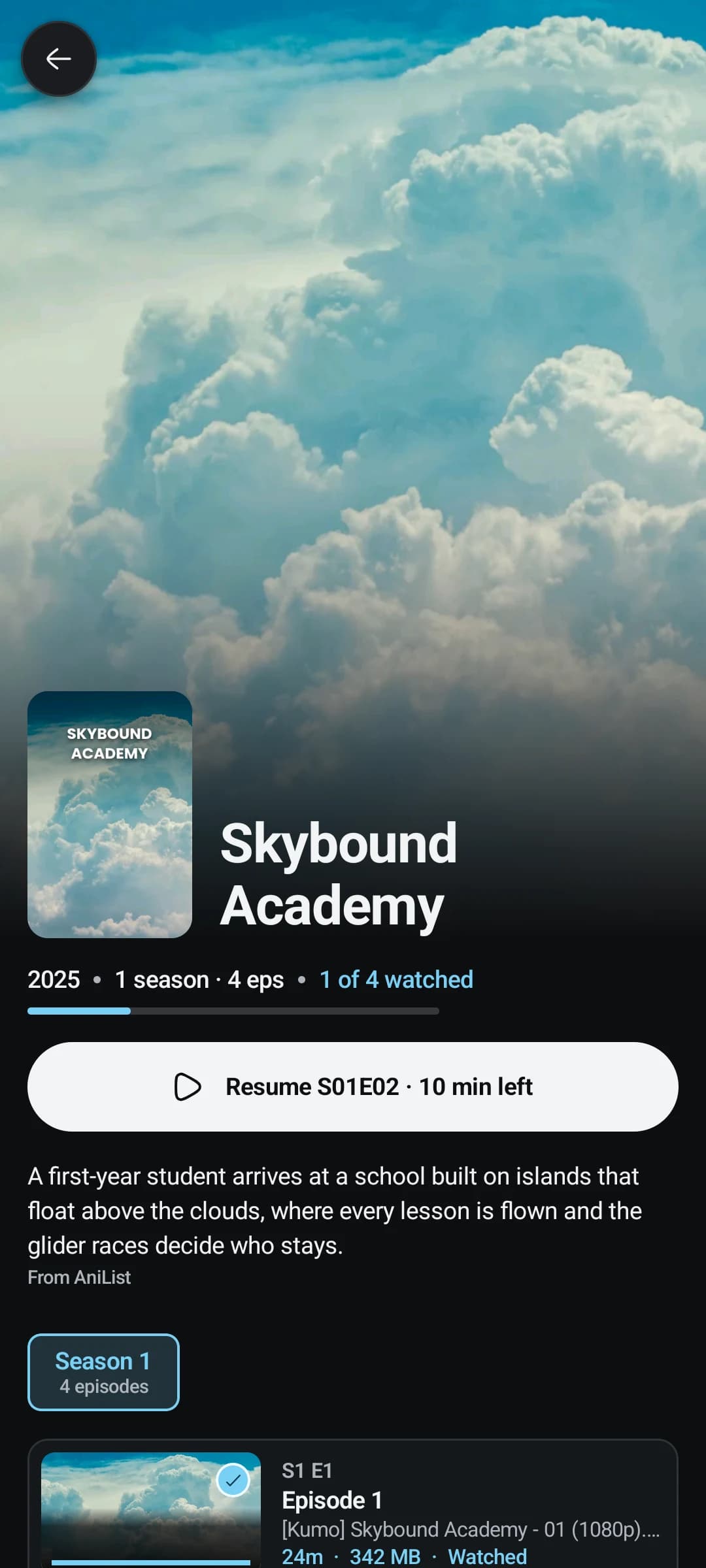
Shows catch up with single videos. A show now has Watch later, Mark a season or the whole show as watched, Go to the chat and a hold menu, which a single video already had.
The player. More options opens as a side panel at the edge of the screen (a sheet on a phone held upright), with every line showing its value. Picture shape gained fixed ratios after Original, Fill and Stretch: 16:9, 4:3, 21:9, 2.35:1 and 1:1. On Android, every shape is drawn inside the same pipeline as the 3D modes, so a fixed ratio still works with anaglyph or side by side output.
Subtitles in any script. Malayalam subtitles from MSone are built in, and subtitles in any script now draw even where the system has no font for it. That mattered on Android TV sticks, many of which ship without a Malayalam font, and on minimal Linux installs.
Smaller fixes that change a lot:
- A chat says how many videos its size limits hide, and the button changes the smallest size on the spot. The default floor is back at 400 MB.
- Videos you kept that were later deleted from Telegram leave Continue watching, Watched and Watch later, with one line saying so. A download whose file has gone offers Download again.
- When Telegram ends a session, TMPlayer goes back to the sign in page and keeps your watched list, Watch later, bookmarks and settings.
- Picture in picture when you leave the app can be turned off.
- Every button on the TV's banners, cards and player can be reached with the remote.
Keeping Home fast on a large account
Home is the first screen, so it is where a slow account shows first. On one large account, Home on Windows took hours to fill. The cause was simple: Home asked Telegram about every chat before it showed anything.
The rules now, which every list in the app is held to:
- First content within 3 seconds. Home draws from what is on disk, or from the first answers, never after a whole chat list.
- A budget for Telegram calls. Each refresh reads a limited number of chats, a few at a time, and a list asks only for the pages it shows.
- Bounded caches. Memory and disk caches have a ceiling.
- Rate limits stay local. When Telegram answers with
FLOOD_WAIT, only the call that got it waits. The rest carry on, and retries stop by themselves.
Recently added follows the same rule. Its row holds 10 tiles on every device, and only its See all page reads further. A See all page that has been pushed out of memory stops reading, instead of asking Telegram for pages nothing shows.
There is a test account for this. SyntheticAccount builds 3,000 chats and 100,000 videos (20,000 in a single chat), and the Home scale test runs against it on every build.
The other half is work that keeps running when nobody is touching the app. A Home row that kept paging ahead held a 1 GB TV stick at 150% CPU and slowed every video start. Anything that runs by itself (paging ahead, refreshes, warm ups) now has to stop on its own, and idle CPU on the TV is measured after any change to Home or background work.
A version number with room for test versions
From 1.28.2, every release goes out first as a GitHub pre-release tagged vX.Y.Z-beta.N. It is installed on the phone, the TV and the desktops, and fixes go out as beta.2, beta.3 and so on. 1.28.2 had three test versions before the release.
The problem is that installers compare numbers, and each platform compares differently:
- Android refuses an APK whose
versionCodeis lower than the installed one. - Windows Installer compares only the first three fields of a ProductVersion, and the third can be at most 65535.
- macOS wants a numeric build number beside the version people see.
So every build gets a stage: test version N is stage N (1 to 98), the release is 99, and any other suffix (a local build, a CI build) is 0. That puts every test version of 1.28.2 after 1.28.1 and before 1.28.2, on every platform:
- Android
versionCodeis major × 1,000,000 + minor × 10,000 + patch × 100 + stage. 1.28.2-beta.1 is 1280201, and 1.28.2 is 1280299. - The Windows MSI and the macOS build number are major.minor.(patch × 100 + stage). 1.28.2-beta.1 is 1.28.201, and 1.28.2 is 1.28.299.
The old Android code was major × 10000 + minor × 100 + patch, so 1.28.1 was 12801. Every new code is above a million, which makes the first one an ordinary upgrade. The highest code the scheme can reach, for 2099.99.99, is still under Google Play's ceiling of 2,100,000,000.
The rule exists in four places: the shared Kotlin core, the release workflow's Python script, and the Android and desktop Gradle files. One file of test cases feeds all of them, so none can drift.
Installed apps offer a test version only if you turn on Settings, About, Get test versions, which is off by default and warns you before it switches on. The website and the in-app update feed never list a test version.
Updates that install without asking
On Android 12 and later, an app that installs its own updates can skip the system's "Do you want to install this update?" prompt. TMPlayer 1.28.2 does that. The platform allows it only when every condition holds, and TMPlayer checks each one before asking:
- Android 12 or later.
- The app is updating itself, which is the only install TMPlayer ever makes.
- The new APK targets a recent enough API level for that Android release.
- On Android 14 and later, no other installer has claimed the app's updates.
- You have allowed installs from TMPlayer.
- This device has not already refused a silent update on this Android release. If it has, TMPlayer remembers that and goes back to the normal prompt.
These rules live in a class with no Android services in it, so they are tested at every API level. They follow the approach of Morphe's session installer, which is also GPL-3.0.
Only the GitHub APK updates itself. Store builds have no updater at all.
Installing or updating
On a phone, download the APK from tmplayer.org and open it. On an Android TV or Google TV, sideload it: the install page has the steps for every platform. Windows, macOS and Linux have ordinary installers, and the Linux AppImage updates only the parts that changed.
If TMPlayer is already installed, it shows a notice when 1.28.2 is out. Updating from 1.28.1 or older on Windows takes about 15 seconds longer than usual, once, because of the change in version numbers.
On an iPhone, or anywhere you can't install an app, TMPlayer now runs in the browser at web.tmplayer.org. I wrote about that separately: TMPlayer in the browser, built for the iPhone first.
- Kotlin
- Android TV
- TDLib
- Compose
- Release engineering
Building something like this?
Tell me what you are building. You get a fixed scope and a fixed figure back, from the person who writes the code.
5.013 reviews onGoogle