Building TMPlayer Music, a player for the audio in your Telegram chats
 Nevil Krishna K8 min read
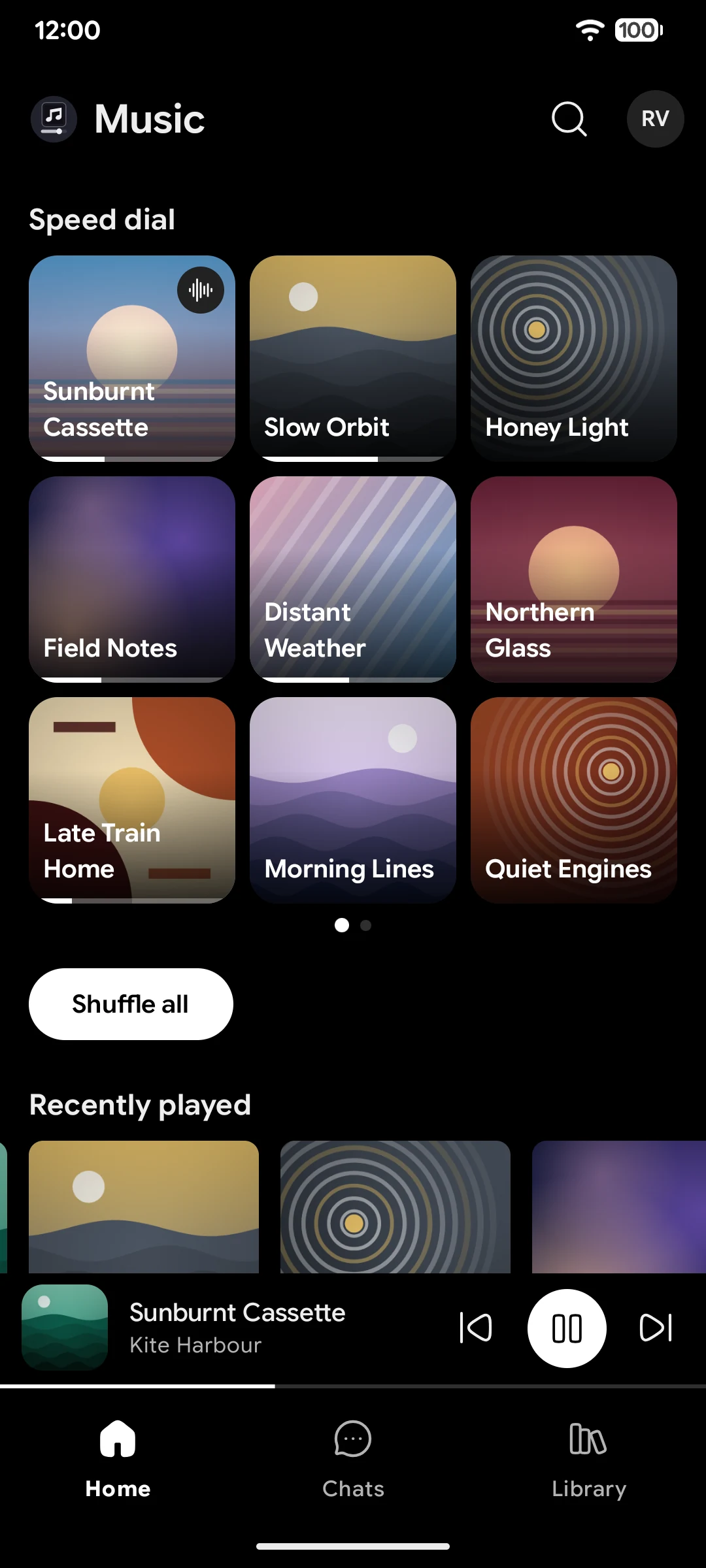
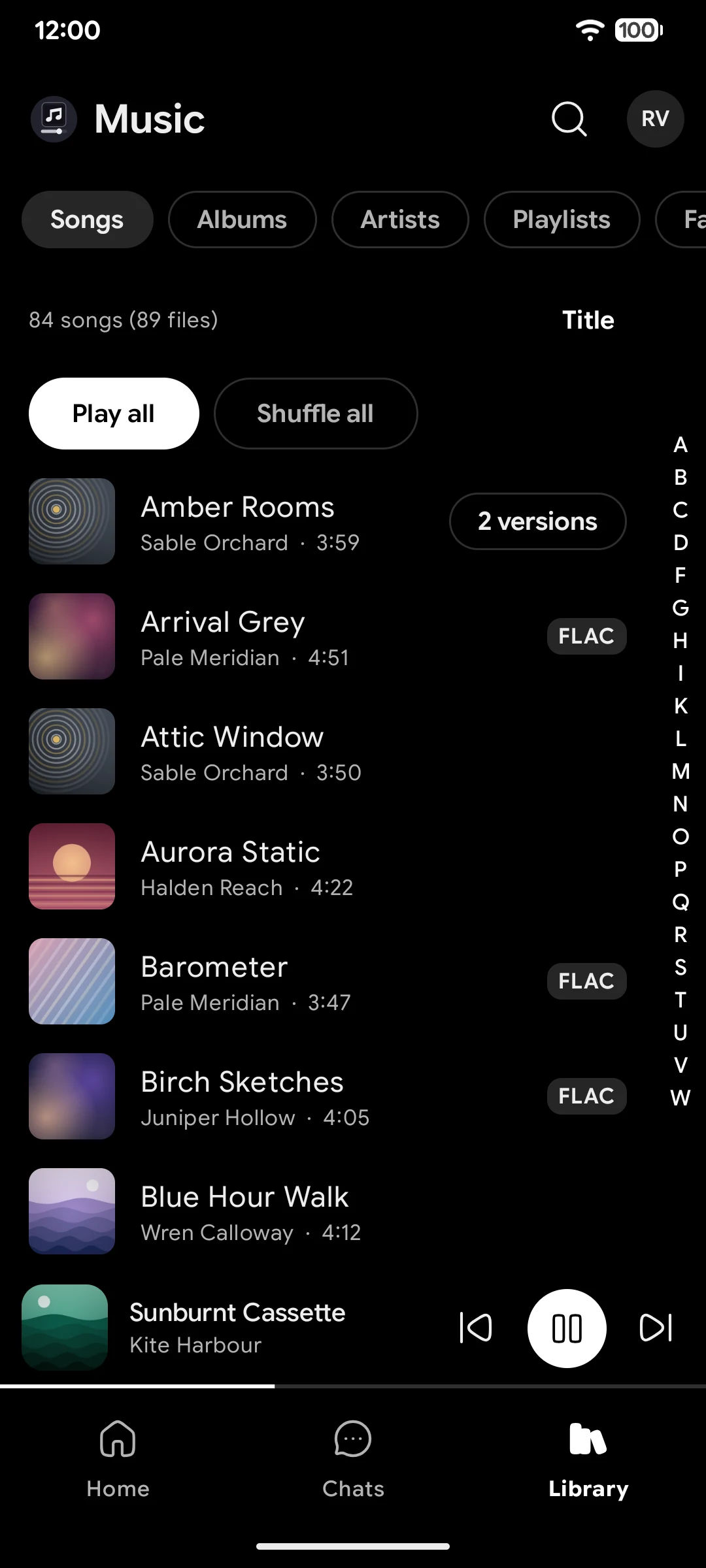
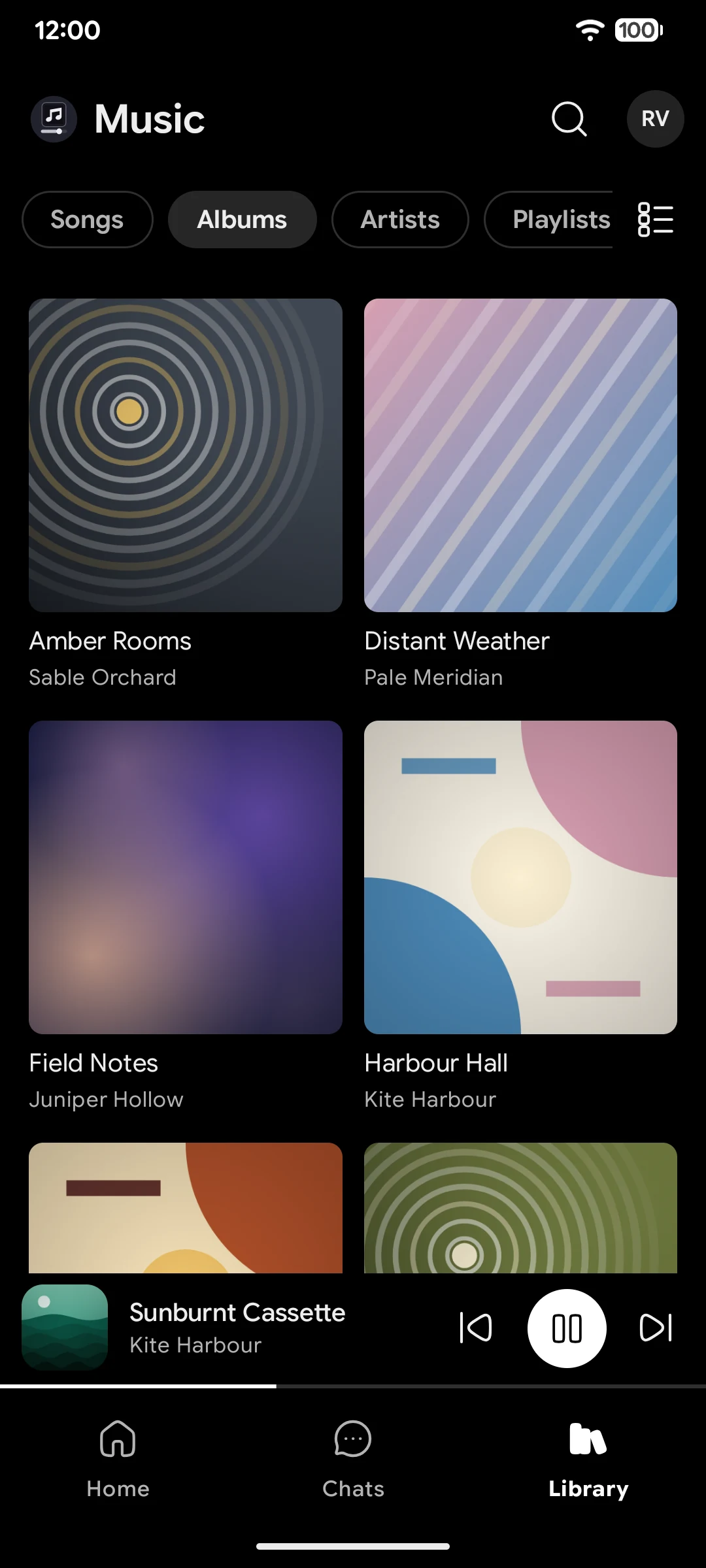
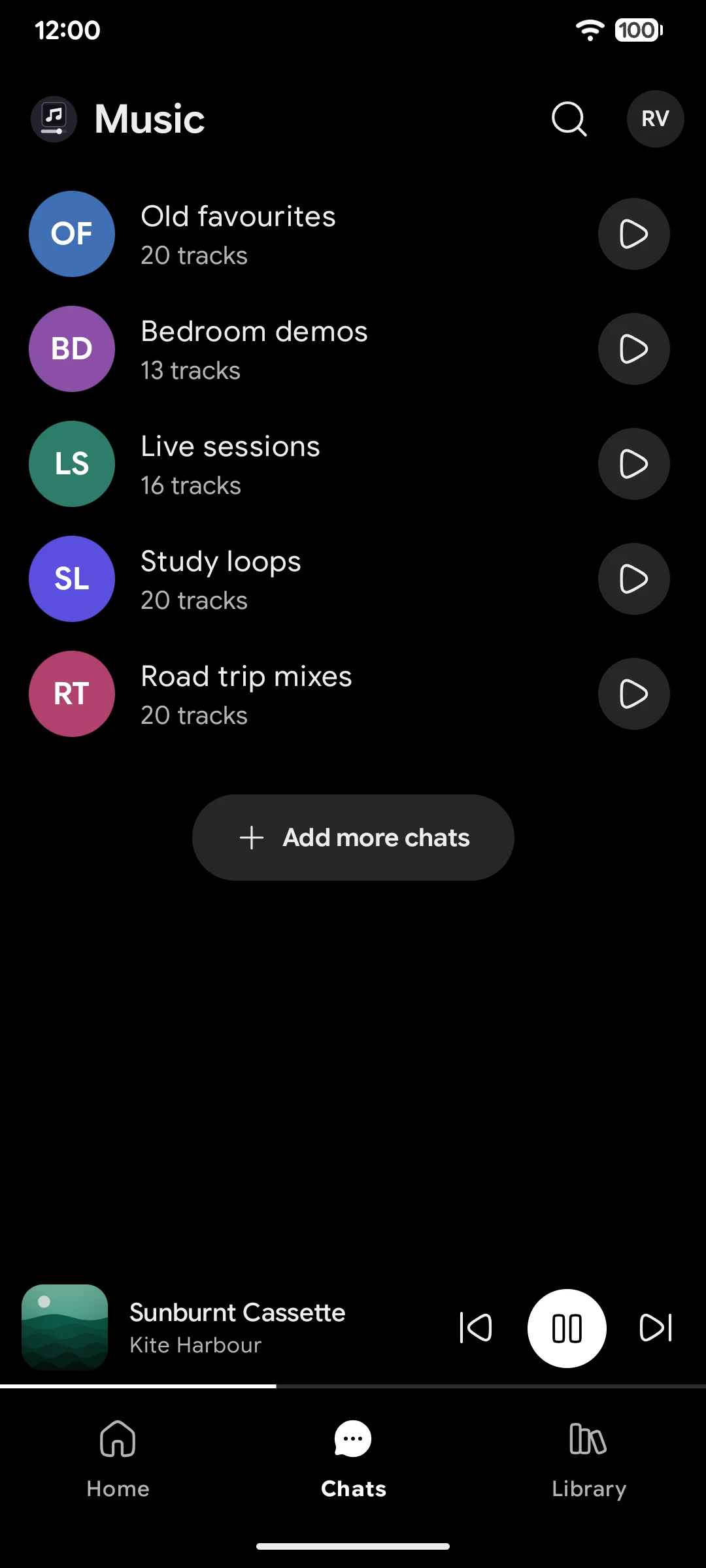
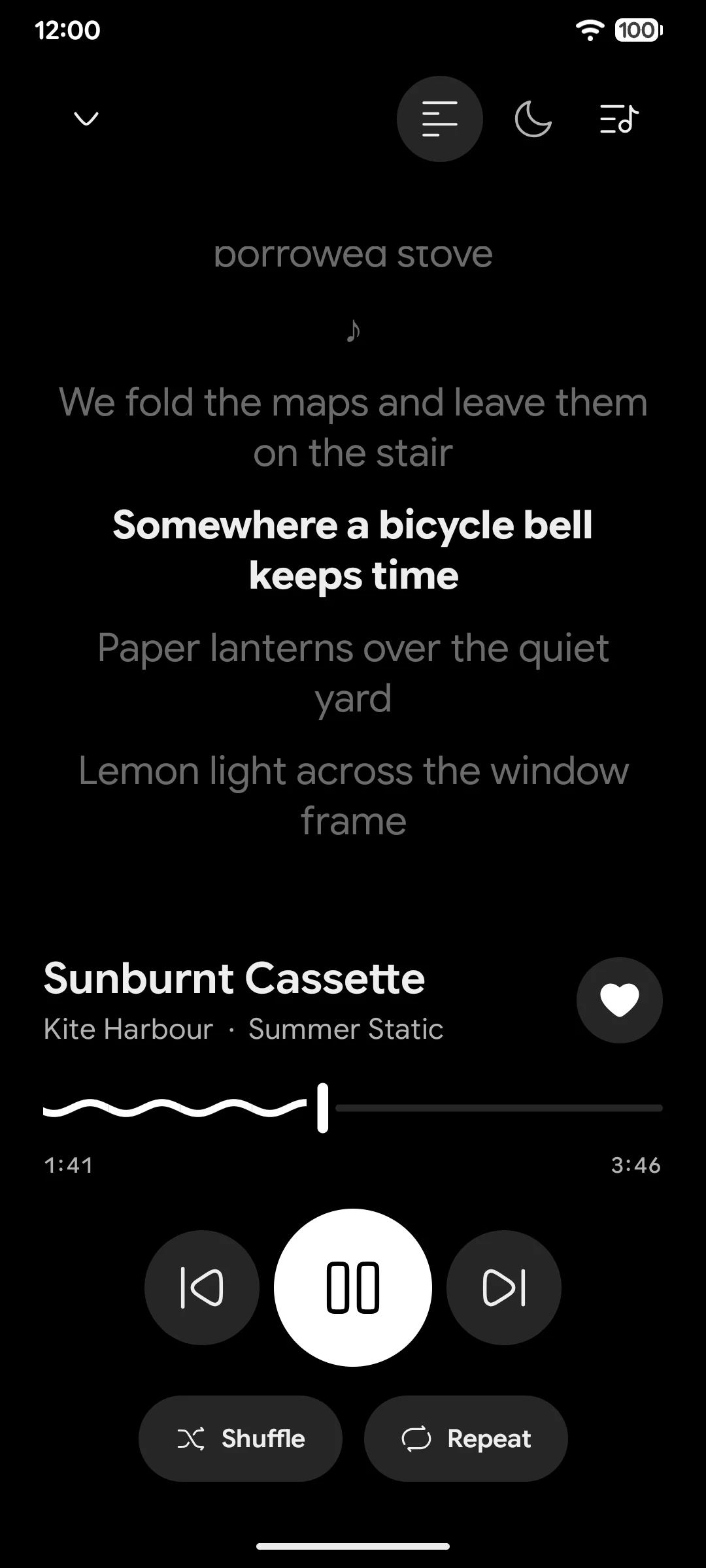
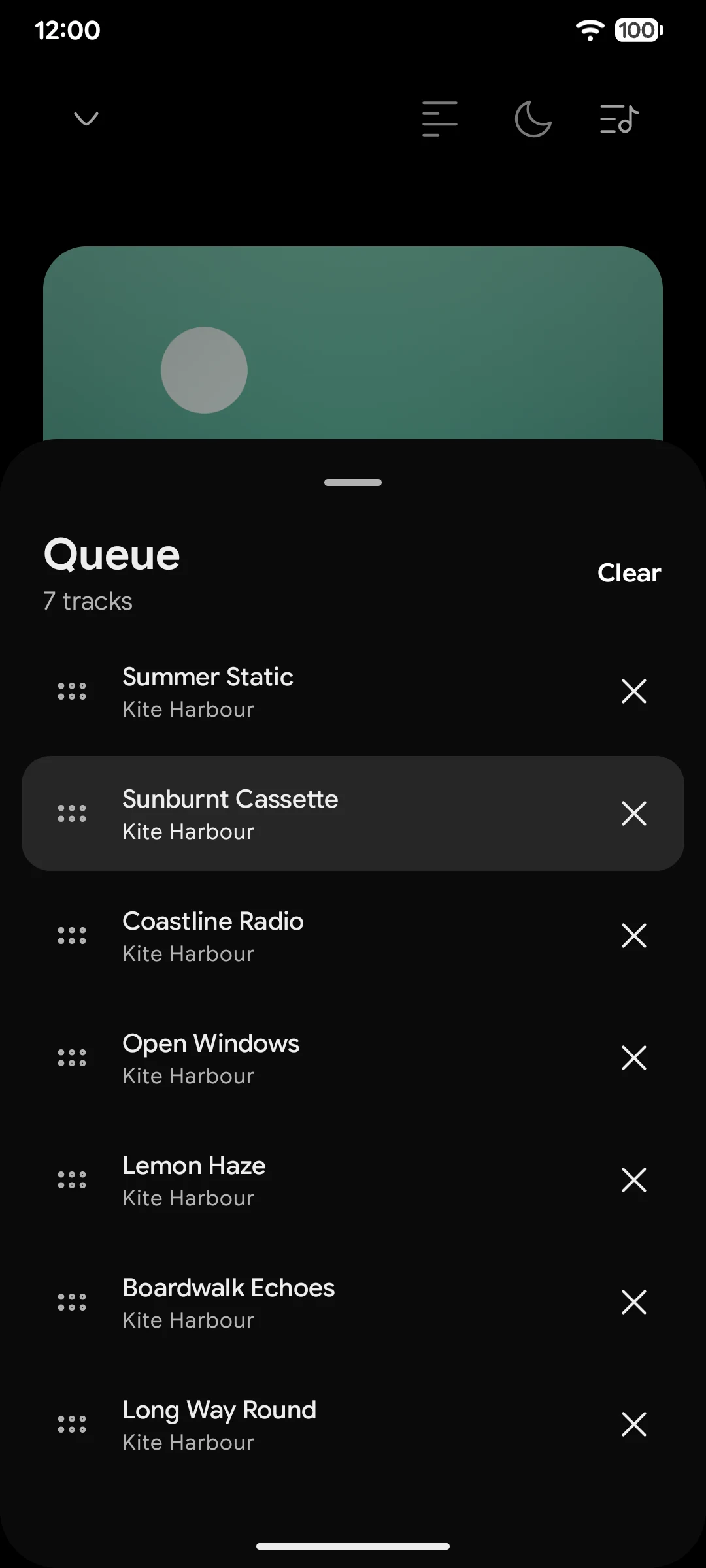
TMPlayer Music is a player for the audio files already in your own Telegram chats. You pick the chats, it finds the tracks in them, and it plays them like a music player: a library of songs, albums and artists, a queue, the lock screen controls. A track starts within seconds while the file is still downloading. It runs on Android 6.0 and up, and it is in early testing, so there is no public release yet.
It is the sibling of TMPlayer, my player for the videos in your Telegram chats, and it runs on the same engine. Both are GPL-3.0, both are unofficial and not affiliated with Telegram, and neither hosts or finds any media: they play what is already in chats you are in, so they are for files you own or have the right to play (lawful use). The app has a holding page at music.tmplayer.org.
Why a second app
TMPlayer already streams any file out of a Telegram chat, so the obvious move was a music tab inside it. I built a separate app instead, because the two players want different things from the same files.
A video player is about one file at a time. You open a chat, pick a video, watch it, and the app forgets about it until you come back. A music player is about all the files at once. It needs an index of every track across every chat you picked, grouped into albums and artists by the tags inside the files. It has to keep playing with the screen off, answer the headset buttons, save the queue and bring it back after a restart. None of that fits a TV grid of posters, and bolting it on would have made TMPlayer heavier on the 1 GB TV sticks it was built for.
So TMPlayer Music copies what it needs from TMPlayer instead of linking to it: the TDLib sign in, the Media3 DataSource that reads a file while it downloads, and the byte window under it. Each copied file names the TMPlayer file it came from. The build never reaches into the other repository, so a change in one app can't break the other by surprise.
Streaming a track out of a chat
The streaming layer is the part TMPlayer already solved. ExoPlayer asks for bytes at an offset, and a custom DataSource turns that into a TDLib partial download starting at the same offset, so playback starts before the file is whole and a seek jumps the download ahead. I wrote that up for video in Play a Telegram video before it finishes downloading, and the code moved across with little change.
Audio brought one new problem, and it took the phone to 116 to 300 percent CPU before I found it.
TDLib names every file by a numeric id, and the first version saved that id with each track. Those ids belong to the TDLib session that handed them out. After a restart, a saved id answered "File not found", or worse, pointed at a different file. On a test library of 35,865 tracks in one chat, the background tag reader went through 32,168 of them at full speed and marked every one as failed.
The fix was to stop trusting stored ids. A track now keeps its chat and message, and the id is asked for again from the message the first time it is needed in a session, then cached for that session. Playback, cover art, lyrics files and the tag reader all go through the same lookup. The tag reader was slowed down too: two files at a time, results written in batches of 12, a pause between batches, and an offline phone that waits instead of marking files as failed. Reading went from 235 percent of one core to about 50, and with reading paused, the app on Home sits at 0.1 percent.
Tags from the first bytes of a file
Telegram knows a file's name and size, and sometimes a title and performer. Album, album artist, year, track number and cover live in the file's own tags, so the app reads them. It fetches only the start of each file, where the tags are, on Wi-Fi unless you allow mobile data, and deletes that partial copy afterwards.
The reader handles ID3, FLAC, Ogg Vorbis and Opus, MP4 and M4A, WAV and AIFF. Tags written by old software often use a legacy code page instead of UTF-8, so the reader detects the text encoding rather than assuming one, and a title in any script reads correctly. Every parser of outside data has a garbage test that feeds it truncated, wrong-typed, huge and random input, because a broken tag in one file should cost that file, not the library.
Covers caused one odd bug. On Home they showed as a thin strip of picture over a blank square. A JPEG that is cut short, either in the file's tags or because it was decoded before TDLib finished writing it, decodes as only its top part. The app now decodes a cover only from a finished download and rejects any JPEG without its end marker, then falls back to Telegram's own thumbnail.
The same track in five files
A chat full of audio has repeats: the MP3 someone posted first, the FLAC posted later, a forward of the same file into another chat. Show them all and the Songs list is cluttered with copies. Fold them carelessly and two different songs with one title become one row.
TMPlayer folds copies of a video into one card, and TMPlayer Music does the same for tracks. The same recording in several files is one row, and a Versions sheet behind it lists each file. A few rules decide what counts as the same recording:
- The group key is made once, at index time. It is the primary artist, the title with case, accents, punctuation and featured artists folded away, and the variant. Finding a song's versions is then a lookup, never a comparison of every track with every other, which matters at 100,000 tracks.
- A different artist is a different song, always. Two tracks with one title by two people never fold.
- Live, remix and other variants are separate rows. The variant is read only from brackets or the part after a dash, so a title that merely contains the word "live" is not a live recording.
- Duration splits a key. With a known artist, two files can be one recording if their lengths differ by up to 3 seconds or 2 percent. With no artist the title is all there is to go on, so it must match exactly and the lengths must be within a second.
- A forward is not a version. The same Telegram file seen in two chats is one source, not two.
Which version plays by default is a fixed order of plain comparisons: the one you chose, then one this phone can play, then one already on the device, then lossless over lossy, then the higher bit rate, the fuller tags and the oldest post. Because each step is a plain comparison, the pick is the same whatever order the files arrive in.
CPU on a cheap phone
A music player runs for hours, much of it with the screen off, so every percent of CPU is battery. I measured with /proc/<pid>/stat and simpleperf after each change, on a POCO M2 Pro and a Pixel, and three things stood out.
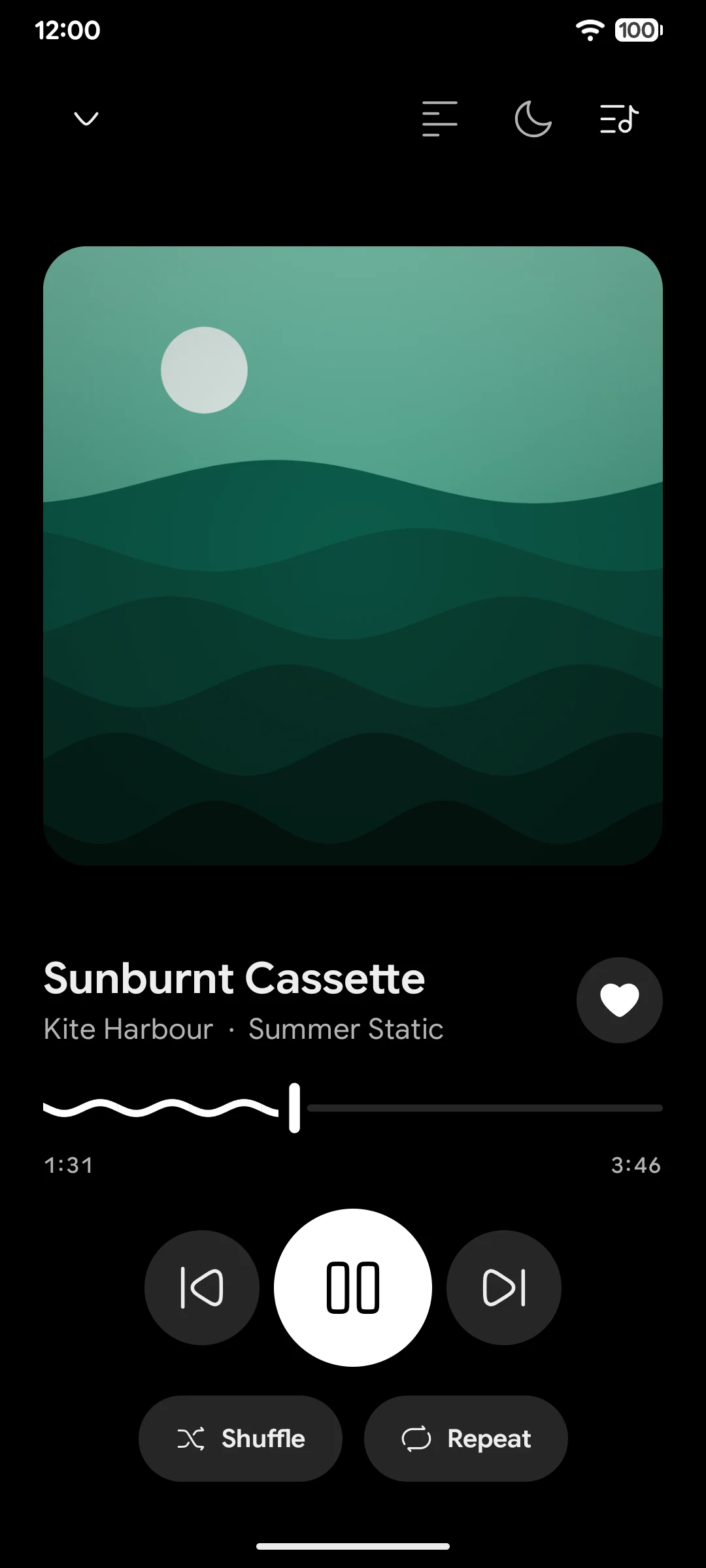
The wave seek bar. Now Playing has a seek bar drawn as a moving wave. In Compose on these phones, each frame of that wave redrew the whole window, at about 13 ms of CPU a frame. The first version animated it every frame and cost 95 to 100 percent of a core while playing. The wave now moves in timed steps, about 16 a second, with the thread asleep between them, and the library under a fully open player is not drawn at all.
Content capture. On a recent Android, Compose walked the whole semantics tree after each change, and Now Playing changes twice a second (the time and the seek bar). That was a third of the main thread on that screen. The app turns content capture off.
Work nobody could see. The playback position kept ticking while the app was in the background, and the tag reader kept TDLib busy off screen. Both now stop when the screen is not showing them. Playing in the background went from 36.4 to 6.0 percent of one core, and the app paused in the background from 22.8 to 0.5 percent after a few minutes.
The scale checks run on the desktop JVM against a synthetic account of 100,000 tracks. The first page of Songs, Albums or Artists comes back in 2 to 7 ms from the on-disk index, and a search in 41 ms. On the phone, scrolling the 35,865 track chat has a median frame of 19 ms.
What it does not do
Nothing is scanned until you pick the chat. It does not read your messages or contacts, post anything, react or mark anything as read. It does not search public channels and has no catalogue and no recommendations of what to listen to. Messages Telegram marks with a restriction reason are skipped. The library, playlists, favourites, play counts and the queue stay on the phone, and Free up space deletes cached audio without touching anything in Telegram.
What is next
The first test version is close. Before it goes out, the phone checks have to pass: the seek tests across formats, the first run on a fresh account, and idle CPU after a full library read. It ships in English first.
After that, roughly in this order: a desktop build, a TV app, a phone remote for the TV, Cast, and Keep offline for tracks you want on the device. Lyrics and cover lookups online will be off until you turn them on, and they go through my own gateway, which sends only the track's title, artist, album and duration, never a chat name or anything about your account.
For the video side, the latest is TMPlayer 1.28, and the TMPlayer Music project page has the rest of the screenshots.
- Kotlin
- Android
- TDLib
- Media3
- Jetpack Compose
Building something like this?
Tell me what you are building. You get a fixed scope and a fixed figure back, from the person who writes the code.
5.013 reviews onGoogle